27 Oct 2026
 Planet Mozilla
The Mozilla Blog: Skip the busywork with Smart Window
The days might be getting shorter, but your to-do list is only getting longer. Whether you're getting a head start on holiday shopping or planning your next career move, Smart Window's newest features will help you keep up.
Firefox's opt-in AI browsing experience can now use information from tabs you choose to help fill out forms. It can also watch web pages and notify you about specific changes you've asked it to track.
Let your open tabs fill in the blanks
Job applications ask for your work history; event registrations ask for a professional bio. If those details are already in your open tabs, Smart Window can now use pages you choose to suggest what to enter, saving you extra clicks and some Ctrl+C, Ctrl+V.
For example, Smart Window could use information from your online portfolio or professional profile to fill in your work history, or draw on those details to draft an answer to a question like "Tell me about a time when…" Firefox's regular autofill still handles saved information such as your name and address, which can be entered directly into forms without relying on AI models.
To get started, click into a form field. If the form has at least four text fields that Smart Window can help fill, you'll see "Fill from sources" appear in the dropdown, along with a recommended source page. Select "Fill from sources" to continue, or click the pencil icon to open "Edit sources" if you want to change or add tabs. Once you've chosen your sources, review the suggestions before filling out the form. You can edit the results before submitting; Smart Window won't submit the form for you.
When you choose to use this feature, information from your selected source pages is shared with Gemini 3.1 Flash Lite, the AI model used for detecting the fields and extracting relevant information from your selected tabs. Your model choice for Smart Window chat stays the same, and saved autofill values stay on your device. Learn more about how form filling works.
This feature currently supports text fields on web forms and does not save any generated form fill data. We're exploring support for more field types, including dropdown menus, as well as PDF forms and ways to save and manage generated information for future forms.
Give your refresh button a break
A watched pot never boils, and refreshing a web page won't make an update appear any sooner.
Smart Window can now watch a page for a specific update, whether that's an item going on sale or a new job listing that includes a job title or company name that you're following. Each task can follow up to five pages, so you can keep an eye on several stores or job boards at the same time.
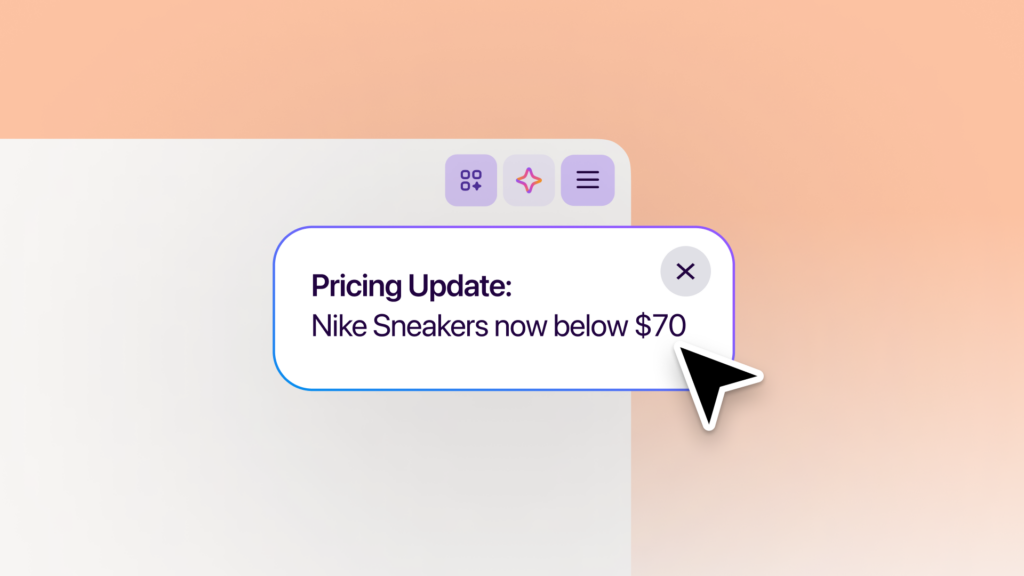
Type "/watch" in the Smart Window chat to set up a task. Describe what you're looking for, add the pages to watch, and choose whether Firefox should check for updates on a daily or weekly basis. Those checks run only while the browser is open.
When there's a match, you'll see an update through the Tasks button in the toolbar. With desktop notifications enabled, Firefox can also notify you directly; click the notification to open the watched pages. You can have up to 15 active tasks at a time, and you can edit, pause or delete tasks. Smart Window will automatically pause tasks after 60 days without a matching change. If 90 days pass without a change, it will stop checking altogether.
Page monitoring uses the Qwen AI model to identify changes that match what you're looking for. Your model choice for Smart Window chat stays the same. Learn more about creating and managing tasks.
Try the latest additions
These two new features are available in the Smart Window beta on desktop, in English in the U.S. and Canada, and will roll out to additional markets in the coming months.
Try Smart Window and share your experience on Mozilla Connect. We'd love to hear how you're using Smart Window to get things done and what you'd like it to help with next.
The post Skip the busywork with Smart Window appeared first on The Mozilla Blog.
27 Oct 2026 1:00pm GMT
The Mozilla Blog: Five Firefox updates you might have missed, and a look ahead
Some of our latest Firefox updates have had big moments of their own, from the launch of our new design and built-in ad blocking on iOS to Firefox Enterprise and our partnership with NVIDIA GeForce NOW. You might've even spotted a few familiar internet OGs in our latest campaign. Other improvements might've flown under the radar until you open a PDF or move your tabs around.
We wanted to take a moment to highlight some of the features and improvements we've been working on, from recent additions you might have missed to a look at what's coming next.
What's new in Firefox
- Open PDFs faster. Firefox's built-in PDF viewer now starts up to 45% faster on desktop, so there's less waiting when you open a document in your browser.
- Put your Android tabs where you want them. Prefer your tabs at the bottom of the screen? You now have the option to move Firefox's tab bar there. Go to Settings > Customize to choose.
- Find your spot in a video faster. We've made it quicker to jump to a different point in a video on desktop, whether you're skipping ahead in a tutorial or going back to catch something you missed.
- Keep your favorite wallpapers handy. Firefox now saves a collection of your custom wallpapers under "Your images" on New Tab on desktop, so you can switch between favorites without uploading them again.
- Save time filling out forms and keeping up with page changes. Smart Window can now help fill out online forms using information from your chosen tabs, so you don't have to copy details back and forth. You can also ask it to watch a page and notify you when something changes, like a price drop or a new job listing, saving you from manually checking for updates. Both capabilities are available in English in the U.S. and Canada as part of the Smart Window beta. Learn more about the new features here.
What's next on the Firefox roadmap
When we launched our public roadmap in June, we shared plans to make everyday browsing more useful, flexible and private. We've now updated it with more of what's ahead. We're developing these features in the open, in close partnership with our contributors, and will share more about release timing as each feature gets ready for more people to try.
Here's a look at what's in the works:
- Keep what you need in view. We heard your request for a way to keep a page visible while browsing. Mini Window will let you pop a tab, or part of a page, into a small floating window, so recipes or instructions stay in view while you work in another tab.
- Listen to pages. Give your eyes a break. Firefox will soon read articles and other web content aloud on desktop and Android, so you can listen while doing other things - even with your phone's screen off.
- Take your reading offline. No connection? No problem. Offline mode on Android will let you save articles ahead of time to read or listen to without internet access, perfect for flights and commutes with spotty service.
- Turn speech into text on desktop. We're bringing speech recognition to Firefox on desktop, so websites that use Firefox's built-in capability can offer voice input and captions without sending your audio to a server. Those sites receive the text, while your audio stays on your device. After downloading the speech recognition model, transcription will work offline, too.
- Choose how VPN works for each site. Since bringing free built-in VPN to Firefox on desktop and Android (iOS coming soon), we're now adding the ability to set website rules so you can choose how VPN works on a site-by-site basis.
- Clear browsing data directly from your toolbar. We're bringing Private Window's familiar
 button to Classic Window on desktop, so you can quickly choose what browsing data to delete without digging through settings.
Keep shaping Firefox with us
Try the latest updates and explore the Firefox roadmap for more of what we're working on. If there's something you're looking forward to, or something you'd like us to improve, tell us on Mozilla Connect. Your feedback helps shape what comes next.
The post Five Firefox updates you might have missed, and a look ahead appeared first on The Mozilla Blog.
27 Oct 2026 1:00pm GMT
Mozilla Privacy Blog: A Reason for Optimism on US Competition Policy
Mozilla has long called for US antitrust reform in digital markets. After several false starts, real change has yet to materialize. In the meantime, dominant tech players have further entrenched their hold, limiting choice and degrading people's experiences. Integration of new AI services into existing ecosystems is enabling those same companies to perpetuate and accelerate that power.
But, there's reason for optimism. Momentum is again building toward antitrust reform, and this time feels different. With support from start ups, middle tech challengers, civil society, and think tanks across the political spectrum - and most importantly, legislative champions in Congress - it's clear that the time is coming.
This is a debate about how the largest tech companies control the products and innovations in the market, and access to the services the people use every day. At the center are questions about user choice, interoperability, privacy, security and whether independent innovators have an opportunity to compete on merit.
These topics were the focus of a recent Senate briefing hosted by Bull Moose Project and Public Knowledge, diving in on three competition bills before the Senate Judiciary Committee: The American Innovation and Choice Online Act (AICOA), the Open App Markets Act (OAMA), and the America Act. The discussion brought together policy experts and industry voices, including Mozilla, to explore how competition policy can improve people's experiences online and the ability of challenger companies to succeed.
The conversation covered a range of issues, from whether existing antitrust laws are equipped to address today's digital markets, to misguided claims about what might happen if we pass antitrust reform, and the ways that dominant platforms dictate how people discover and use competing products. For Mozilla, an important part of the conversation is what meaningful user choice looks like in practice. People should be able to choose alternatives, and those choices should be respected. But structural barriers can make it harder for independent players to compete on merit, and for people to access options, including independent products that innovate in areas like privacy and security. Competition creates stronger incentives for companies to build better, and to give people the protections and products that they deserve.
Antitrust reform is not about punishing companies for being successful. It's about ensuring that independent players can provide the best possible versions of their products, and that people can truly benefit from those innovations. That's why Mozilla, alongside many others, has long championed AICOA and worked to tackle longstanding anticompetitive practices. We're excited to see newly energized support across the public and private sector, and for the next steps in advancing legislation.
The post A Reason for Optimism on US Competition Policy appeared first on Open Policy & Advocacy.
27 Oct 2026 12:05am GMT